The Cosalazo 2 Controls
Drive a trophy truck, Bronco, UTV, or ATV without fighting the camera.
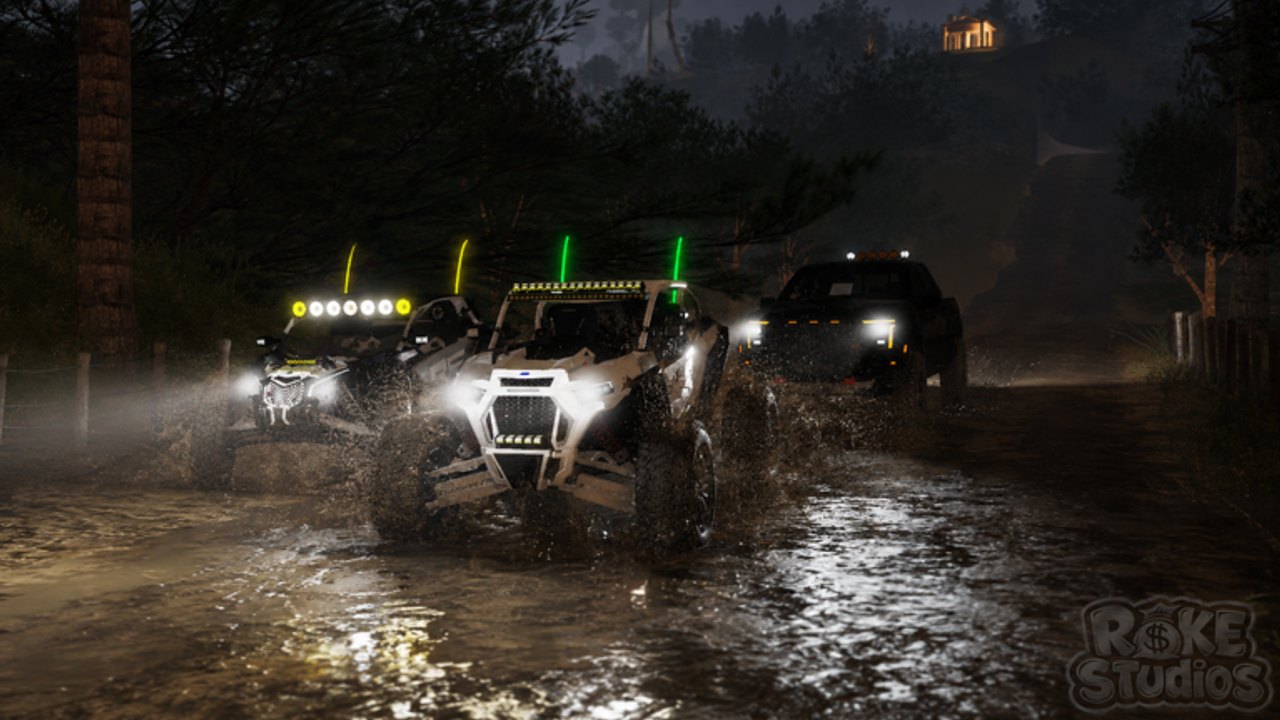
The Cosalazo 2 uses Roblox’s standard character and vehicle input, then layers a camera that has to survive dunes, cobblestone plazas, and black forest water at night. This page is the control sheet. It does not invent unique keybinds the studio never published. When in doubt, open Roblox Settings → Keyboard / Gamepad inside the experience after you spawn.
If you have not redeemed a code or chosen a first truck yet, park this tab and finish getting started. If you already know the binds and still roll, you need off-road tips, not another key list.
On-foot controls (all platforms)
| Action | PC | Gamepad | Mobile |
|---|---|---|---|
| Move | WASD | Left stick | Left thumb stick |
| Camera | Mouse | Right stick | Right drag |
| Jump | Space | A / Cross | Jump button |
| Interact / enter vehicle | E or proximity prompt | X / Square | Tap prompt |
| Menu | Esc | Start | Roblox hamburger |
Walk around the Cosalá letters once before you steal a parked UTV. Prompts in this genre sometimes sit on the door, sometimes on a global “drive” billboard. If you spam jump on cobbles you will look like a tourist; the locals are already in trucks.
Driving controls
Once seated:
| Action | Typical PC | Notes |
|---|---|---|
| Throttle | W | Feather on sand. Full hold is for dune crests you can see. |
| Brake / reverse | S | Tap brake before reverse; many chassis need a stop. |
| Steer | A / D | Less is more on trophy trucks. |
| Camera | Mouse | Keep the hood in the lower third so you see ruts. |
| Exit | F or prompt | Stop first on a slope or the body slides into a river. |
Gamepad: right trigger throttle, left trigger brake is the Roblox vehicle convention when the chassis uses a CarController. If the truck ignores triggers, the experience may still be using WASD-on-thumbstick. Test in a straight plaza street, not in a wash.
Mobile: a virtual wheel plus a right-side throttle is common. Your thumbs will hide whip lights — that is a problem at night because those green or purple sticks are how you track friends. Lower graphics just enough that the light bars stay visible. See play with friends for convoy lighting.
Camera habits that matter in Cosalá
- Do not shift-lock while driving unless you have tested it on that chassis. Shift lock is built for swords, not Raptors.
- Zoom out one notch on dunes so you see the backside of a crest before you take off.
- Zoom in slightly in the plaza so you do not clip the church or the COSALÁ letters.
- On night trails, bias the camera toward the brightest light bar in your group. Official shots show UTVs with roof LEDs plus whip antennas; those are functional markers, not just cosmetics.
- First-person is for flex screenshots, not rivers.
The mini-map in the dune screenshot is your friend. Glance, do not stare. If you stare, you will miss a cattle fence that does not care about your Robux.
Trailers and extra seats
The official description calls out vehicles and trailers. Towing changes the control problem: throttle later, brake earlier, steer wider. If a friend sits in a UTV passenger seat, warn them before jumps; Roblox passenger cameras lag. Practice a trailer on cobbles from routes and map before you drag it into the wet forest from the night screenshot.
Sensitivity and devices
Roblox camera sensitivity in Settings should sit in the middle third for this game. Too high and dune landings become a roll. Too low and you cannot check a side hill. Phone players should enable the in-experience vehicle GUI if a “drive buttons” toggle exists; fighting a tiny stick on a wet thumb is how ATVs go swimming.
Xbox and PlayStation players should plug a headset only if they like music — the listing says voice chat is unsupported, so a party chat outside Roblox is the real comms plan. That is a control decision: one driver on party chat should call ruts while others drive.
Accessibility and comfort
- Motion sickness: raise FOV if the experience exposes it, or sit further from the screen on dune sections.
- Color: whip lights are green, blue, purple in official art — useful if you struggle to see dark SUVs at night.
- Language: HUD may mix English and Spanish (Códigos, Bienvenidos). The how to redeem page lists both labels.
After the binds feel boring
Binds are not the skill. Terrain is. Move on to how to play for session structure, vehicles for which chassis forgives bad hands, and the tier list if you want a blunt ranking. Come back to this page only when a patch adds a new input (winch, crawl switch, extra lights). Until then, keep your thumbs quiet and your headlights honest.
Frequently Asked Questions
Quick answers for Cosalá routes, codes, and vehicles.
What key enters a vehicle?
Usually the on-screen proximity prompt (often E on PC). Check the prompt above the door rather than guessing.
Should I use Shift Lock to drive?
No. Turn it off for trucks and UTVs. It is a character combat toggle, not a driving aid.
Why can’t I reverse immediately?
Many Roblox chassis need a full stop from S before reverse engages. Tap brake, wait, then hold S.
How do I follow friends at night?
Watch whip lights and roof bars. Details are on off-road tips and play with friends.